
Download Save To Read – Firefox reading list extension, privacy‑first save‑for‑later tool
Overview
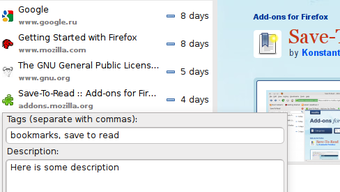
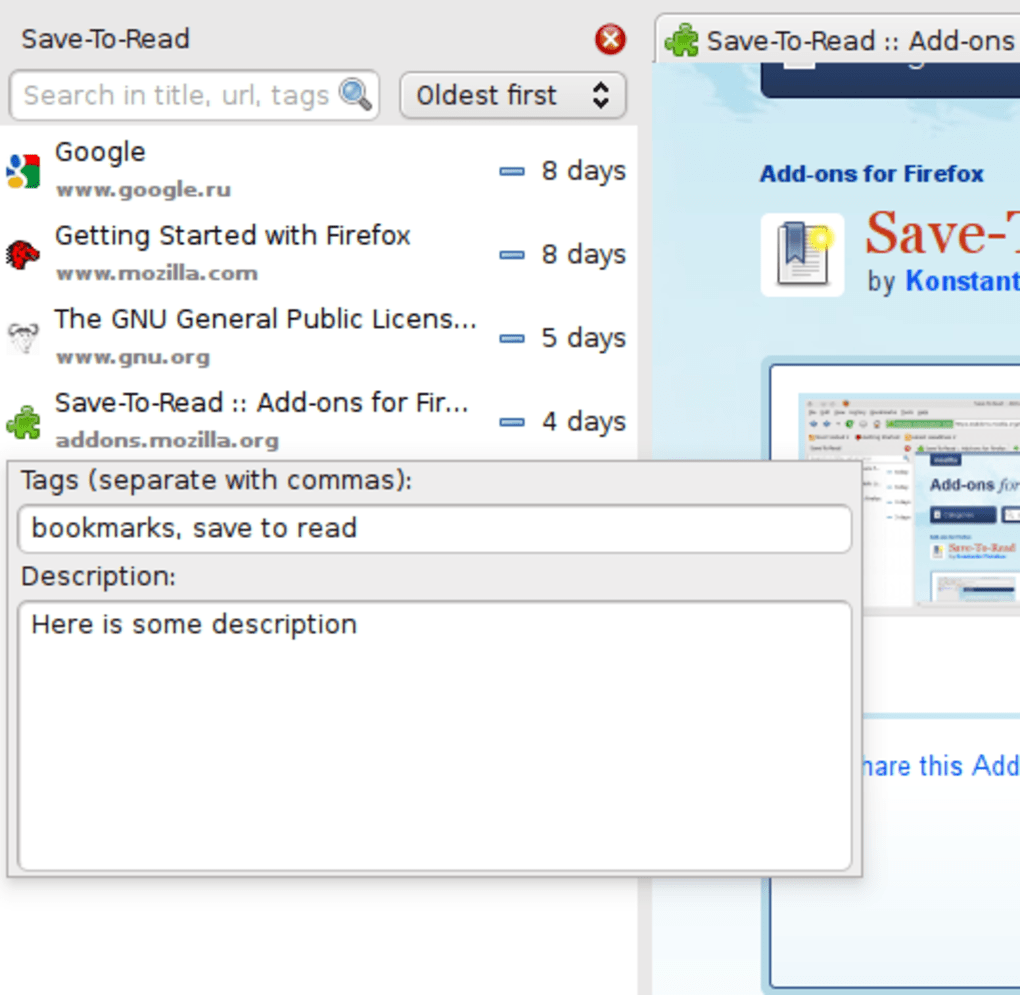
Save To Read is a lightweight Firefox extension designed for anyone who constantly discovers interesting articles, tutorials, or news pieces while browsing and wants a quick way to store them for later consumption. The extension adds a discreet “+” icon directly in the address bar; a single click adds the current page to a personal reading list that slides out from the left‑hand side of the browser. The list is organized chronologically, shows how many days ago each page was saved, and lets you remove items with a simple “‑” button.
What sets Save To Read apart from many competing “read‑later” solutions is its strict privacy‑first approach – there is no sign‑up, no cloud sync, and no data collection beyond the local list. This makes it an ideal choice for users who value simplicity and want a tool that lives entirely inside Firefox without the overhead of external accounts or subscription fees. While the lack of cross‑device syncing may be a drawback for power users, the extension’s minimalistic design, zero‑cost model, and instant accessibility make it a compelling addition to any Firefox workflow.
Key Features & Benefits
- One‑Click Save: A tiny “+” icon appears in the URL bar, letting you capture a page with a single click.
- Instant Sidebar Reading List: Saved pages appear in a collapsible left‑hand sidebar that can be opened or hidden at any moment.
- Chronological Ordering: Items are automatically sorted by the date they were added, with a clear “X days ago” label.
- Privacy‑Centric Design: No account creation, no cloud storage, and no tracking – all data stays on your local machine.
- Zero Cost: Completely free to download and use, with no hidden fees or premium tiers.
- Lightweight Footprint: The extension consumes minimal memory and CPU, preserving Firefox’s performance.
- Simple Removal: Click the “‑” button next to any entry to delete it instantly from your list.
- Automatic Time Stamps: Each saved page shows when it was added, helping you prioritize older items.
These features combine to create a seamless workflow for users who juggle multiple sources of information throughout the day. Because Save To Read does not require any external account, you avoid the common privacy concerns associated with services that store your browsing history on remote servers. Additionally, the extension’s minimal UI ensures that the reading list never overwhelms the main browsing experience – it simply slides out when you need it and disappears when you don’t. For students, researchers, journalists, or casual readers, the ability to capture a page in a split second and revisit it later without any distractions can significantly boost productivity and reduce the mental load of trying to remember which article you wanted to finish.
Installation, Usage & Compatibility
Installing Save To Read is straightforward. Open Firefox, navigate to the official Mozilla Add‑ons page, and click the “Add to Firefox” button. After a brief permission prompt (the extension only needs access to the current tab’s URL), Firefox will download and automatically enable the tool. No additional configuration is required; the “+” icon appears instantly in the address bar.
To use the extension, simply browse to any article or web page you wish to revisit later, and click the “+” symbol. The page is added to the left sidebar, which can be toggled by clicking the small arrow at the top of the panel. Within the sidebar you will see each entry listed with a timestamp, allowing you to gauge how old a saved item is.
When you’re ready to read, click on the title to open the page in the main browser window. After finishing, click the “‑” button next to the entry to remove it from the list. The entire process takes less than a second, keeping your reading flow uninterrupted.
Save To Read works on any platform that supports the Firefox browser, including Windows 10/11, macOS (Catalina and later), and popular Linux distributions such as Ubuntu and Fedora. Because the extension runs entirely within Firefox, there is no separate mobile version; the tool is optimized for desktop usage only. Users who need a cross‑device solution will need to rely on other services, but for those who primarily read on a single workstation, Save To Read offers a fast, secure, and privacy‑friendly alternative.
Updating the extension is handled automatically by Firefox’s built‑in add‑on manager. When a new version is released, Firefox will download and apply the update in the background, ensuring you always have the latest security patches and feature improvements without manual effort. The extension’s lightweight nature also means updates are typically small in size, preserving bandwidth for users on limited connections.
Pros, Cons, FAQ & Conclusion
Pros
- Extremely easy one‑click saving.
- No sign‑up, no cloud, complete privacy.
- Free with no hidden costs.
- Lightweight and fast, preserving browser performance.
- Chronological view with clear timestamps.
Cons
- No cross‑device synchronization.
- Limited editing – you cannot rename or reorder items manually.
- Only available for Firefox; not compatible with Chrome or Edge.
- Reading list is stored locally, so it is lost if you clear Firefox data.
Frequently Asked Questions
Is Save To Read completely free?
Yes, the extension is 100 % free. There are no subscription fees, in‑app purchases, or hidden costs.
Can I sync my reading list across multiple devices?
No, Save To Read stores the list locally within Firefox. If you need cross‑device sync you will have to use a different service.
Does the extension collect any personal data?
No. Save To Read does not require an account and does not send any data to external servers. All information stays on your computer.
Will Save To Read work on older versions of Firefox?
The extension requires Firefox 78 or later. Older versions may lack the necessary WebExtension APIs.
How do I remove an item from the reading list?
Click the “‑” button next to the entry in the sidebar, and the page will be instantly deleted from your list.
Conclusion & Call to Action
Save To Read delivers exactly what its name promises: a simple, secure, and privacy‑respecting way to stash web pages for later reading, right inside Firefox. Its one‑click interface, zero‑cost model, and lightweight design make it an excellent choice for anyone who values speed and anonymity over cloud‑based syncing. While power users may miss the ability to sync across devices or edit entry titles, the core functionality works flawlessly for daily browsing on a single workstation. If you spend a lot of time surf‑surfing for articles, tutorials, or news, installing Save To Read will streamline your workflow and keep your reading list organized without any data leakage concerns.
Ready to declutter your tabs and boost your productivity? Download Save To Read now and start building a private, instant reading list that lives only on your browser.







